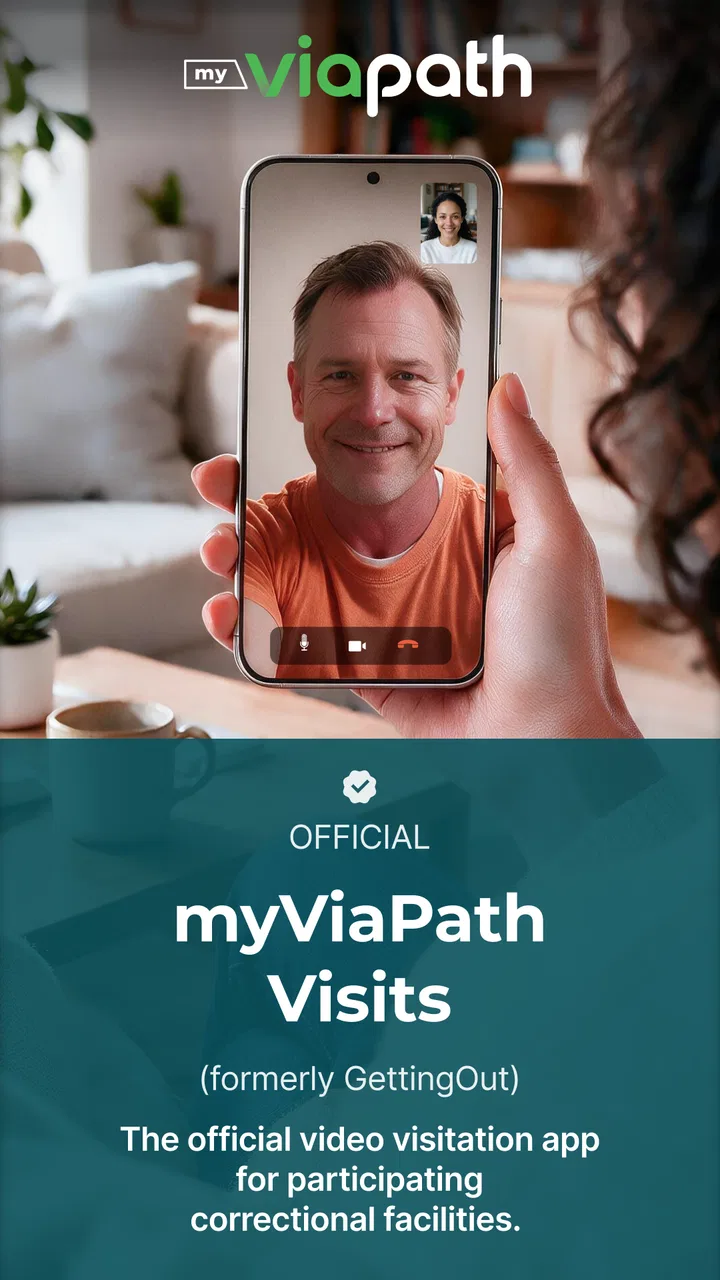
GettingOut Visits
- 3.3
- Rating
- 1.00M
- Installs
- Free
- Price

 Analysis by App-foxy
GettingOut Visits is a communication app from Viapath designed for video visits with loved ones at participating facilities. I approached it less like a general video-calling service and more like a focused tool for a very specific situation: staying connected when an in-person visit is difficult or unavailable. That distinction matters, because its usefulness depends heavily on whether the facility and the person you want to reach support visits through the service.
The app is free, carries an Everyone age rating, and runs on Android devices using version 7.0 or later. Its current version is 4.2.0. I found the basic idea easy to understand, but the experience is not quite as universal as opening a familiar messenger and calling any contact. The first meaningful success comes from matching the app with the correct facility and visit arrangement, then making sure the person on the other side is ready at the expected time.
What to expect before your first visit
The most important thing to understand is that GettingOut Visits is not a replacement for WhatsApp, FaceTime, Messenger, or a standard phone call. Those services are built around personal contacts and flexible conversations. This app is built around facility-supported video visits, so the available experience is tied to the participating location and the visit process used there.
You May Also Like

 Blood Strike: 2.5 Anniversary
Blood Strike’s Loadouts Turn Every Drop Into a Tactical Gamble
A close look at Blood Strike’s custom loadouts: how fast access to signature weapons reshapes its battle royale rhythm, rewards preparation, and narrows the gap between fights.

 Pandora - Music & Podcasts
Pandora’s Music Is Easy to Start, but Harder to Recover
Pandora’s strength is its low-effort path from a seed to a station. Its weak spot is how much confidence it asks you to place in connection, setup, and quiet recovery.

 8 Ball Pool
 Is Built on Rivalries, Rematches, and Routine
A close look at the rivalries, rematches, shared routines, and unanswered safety questions that turn a quick pool match into a persistent mobile community.

 Samsung Music
’s Quiet Strength Is Playing What You Already Own
Its reach comes less from spectacle than from dependable access to a personal library. That simplicity is both the app’s strongest retention engine and its ceiling.

 AccuWeather: Weather Radar
AccuWeather Review: A Quick, Clear Forecast for Everyday Decisions
For everyday plans, the best forecast is the one you can understand quickly. AccuWeather makes rain timing, radar, and local conditions easy to act on, with a few trade-offs.

 Hill Climb Racing
Why Hill Climb Racing Still Turns Crashes Into One More Run
A tiny car, a bumpy hill and one more upgrade: Hill Climb Racing keeps resurfacing because its simple chaos makes every near-miss feel personal.
More From Our News Desk



That makes it particularly relevant for families and friends who need a structured way to see someone in a facility. If your main goal is casual video calling with several friends, sending messages throughout the day, or keeping a broad contact list, I would choose a general communication app instead. Here, the value is in the specific connection rather than in having a complete social inbox.
On the store, the app has an average rating of 3.4 from around 28 thousand ratings, with roughly 12 thousand written reviews. It has passed the million-install mark, which suggests that many people are looking for this kind of facility-based communication. At the same time, the rating is a useful reminder to keep expectations practical: a smooth call depends on more than the app itself, including facility participation, scheduling, device readiness, and the quality of the connection at both ends.
I would also avoid treating the installation as proof that a visit can begin immediately. The app can be free to install while the actual visit process still depends on local arrangements. Before spending time troubleshooting, I would first confirm that the relevant facility supports GettingOut Visits and that the person you want to contact is available through that system. This simple check can prevent the most frustrating first-time experience: having a working app but no usable visit path.
Who will get the most from it
This app makes the most sense for someone who has been told to use it for a video visit, especially when travel is expensive, distance is significant, or a normal in-person visit is not practical. It can also suit relatives who are less comfortable with complicated technology because the purpose is narrower than that of a full messaging platform.
It is less suitable for people who need spontaneous calls. If you expect to tap a name and start talking whenever both of you are free, the facility-centered process may feel restrictive. It is also not the first choice for a household that wants one app for family group chats, photo sharing, voice calls, and everyday messages. The focused design is helpful for an arranged visit, but it does not replace the wider tools many families already use.
Starting carefully instead of rushing
My advice for a first-time user is to treat the first visit as a small preparation task rather than a quick download. Have the facility details and the intended visitor information nearby. Use the same personal details that were used when the visit was arranged, and read each screen before moving forward. In facility-related services, a small mismatch can be more disruptive than it would be in an ordinary social app.
I would also choose a quiet place and prepare the phone before the visit window. A stable connection, a charged battery, and a clean camera area sound obvious, but they matter more when the appointment may be limited or difficult to rearrange. The best first step is confirming the visit pathway before troubleshooting the video.
Because the app is intended for communication with someone in a facility, privacy and surroundings deserve attention too. I would avoid starting a visit in a busy public place where other people can overhear. Headphones may help if they are comfortable and permitted in your situation, but I would test them beforehand rather than introducing new equipment at the last moment.
Setting up GettingOut Visits without unnecessary friction
After installing GettingOut Visits, the setup should be approached in the same order as the real visit: identify the supported facility, make sure the intended contact is associated with the visit process, and then prepare the device for video communication. The exact screens can vary as the service develops, so I would follow the prompts shown in the installed version rather than rely on an old walkthrough.
The app was released on September 21, 2017, and Viapath has continued to maintain it, with version 4.2.0 listed as the current release. That history is useful in one sense: this is not an abandoned experiment that appeared briefly and disappeared. Still, an established app can change its screens and flow, so instructions from another user may not match what appears on your phone.
When the app asks for information, enter it slowly and consistently. A common mistake with services connected to facilities is using a nickname in one place and formal information in another. I would use the name and details associated with the visit arrangement, check spelling, and avoid creating several variations of the same identity while trying to solve a setup problem.
Another practical tip is to distinguish between an app problem and a visit-availability problem. If the app opens but the expected contact or facility does not appear, repeatedly reinstalling it may not help. First check the facility and visit details. If the facility uses a particular workflow, the missing item may be related to that arrangement rather than to the phone installation.
Preparing the phone for a real conversation
Before the scheduled visit, open the app while you still have time to inspect the interface. Look for the area where the visit or contact is shown, and become familiar with the buttons you will need. You do not need to explore every screen. The goal is simply to know how to reach the active visit and how to recognize whether it is ready.
I recommend testing the front camera and microphone with the phone in the position you expect to use. This is not a claim that the app offers a separate test-call feature; it is a general preparation step using the phone’s existing camera and audio tools. It helps reveal a covered lens, a muted device, or an awkward stand before the important moment.
Keep the operating system requirement in mind as well. The app supports Android 7.0 and later, so an older device may not be suitable. On a compatible phone, I would still close demanding apps, connect to a reliable network, and avoid moving around during the visit. These steps do not change the facility’s side of the connection, but they remove several avoidable problems from your own side.
For iPhone users, the sensible approach is the same: install the version offered for your device, follow the current on-screen setup, and verify that the phone is ready before the visit. I would not assume that instructions written for Android will use identical labels on iOS. The purpose remains the same, but menus and permission prompts can be arranged differently.
What to do if the first screen feels unclear
New users sometimes expect a normal contact list and may wonder why the app does not behave like a familiar messenger. That confusion is understandable. The service is organized around facility-supported visits, not around unrestricted personal calling. If the first screen seems sparse, that may reflect the focused nature of the app rather than a failed installation.
I would read the wording carefully and avoid tapping through quickly just to reach the next page. In this kind of app, the important choice is not a decorative setting; it is selecting or identifying the correct visit context. If you are helping a parent or relative, sit beside them during setup and write down the exact facility and contact information they are using. That small record can make later support much easier.
The app’s Everyone rating makes it approachable for a broad audience, but that does not mean every part of the process is self-explanatory. Someone who rarely uses video calls may need help with camera framing, sound, and timing even after the account side is complete. I would separate those tasks: first make the visit appear correctly, then prepare the phone, then begin the conversation.
Reaching the first successful visit
The first real success is not merely seeing the app open. It is reaching the intended visit and having a conversation without spending the entire window searching through settings. To make that happen, I would prepare early, place the phone at eye level, and keep the facility and visit information close by.
A realistic example would be a family member preparing for an evening video visit with someone in a participating facility. Rather than downloading the app minutes before the appointment, they install it earlier, complete the initial steps, confirm that the expected visit is visible, and then check the camera position. When the visit time arrives, they are not trying to solve account details and audio problems at the same time. That is where this app can feel reassuring: it gives the conversation a dedicated path.
During the call, speak naturally but remember that the connection may not feel as flexible as an ordinary personal call. If the video pauses, give it a moment before repeatedly pressing buttons. Rapidly leaving and re-entering can make it harder to tell whether the issue is temporary, local to your device, or related to the facility side. I prefer one calm check of the phone’s connection and audio, followed by a careful return to the visit screen.
Keep the phone steady and make sure your face is lit from the front rather than from behind. This is a small but meaningful improvement for the person watching. It also reduces the temptation to adjust the phone constantly, which can make a short visit feel more chaotic than it needs to be.
If the other person cannot hear you, check the obvious things first: whether the phone is muted, whether another accessory is connected, and whether you are speaking far from the microphone. If you cannot see the other person, check your own network and the app’s visit screen before assuming the contact has disappeared. These checks are simple, but they are more useful than immediately deleting and reinstalling the app.
Making limited time feel more personal
A structured video visit works best when the conversation is prepared emotionally as well as technically. I would decide in advance what updates matter most, especially if the visit may be short or if the connection is not perfectly smooth. A few meaningful topics are better than trying to cover every family detail while watching a loading screen.
For children or older relatives, place the phone somewhere stable and at a comfortable distance. Avoid handing it around constantly. A fixed view makes it easier for the person on the other end to follow faces and voices. If several people want to participate, agree beforehand on who will speak first so that the conversation does not become a jumble of voices.
One non-obvious advantage of a dedicated visit app is psychological: everyone knows why the app is open. There is less temptation to drift into unrelated notifications or a general chat feed. The trade-off is that the experience is less spontaneous and less feature-rich than a mainstream communication platform. For a planned family connection, I see that focus as useful; for everyday social communication, I see it as a limitation.
Common points of confusion and sensible fixes
The biggest misunderstanding is assuming that installation alone creates access to every possible contact. GettingOut Visits is intended for select facilities, so the facility’s participation and process are central. If the person you want to reach is not connected through the supported arrangement, the app may not provide the result you expected even though it installed correctly.
A second confusion is treating a missing visit as a camera failure. If the camera works in other apps but the expected visit is not available here, the next step should be checking the visit details rather than changing camera settings repeatedly. Conversely, if the visit is visible but the picture or sound is poor, then device position, microphone state, and network quality become more relevant.
Users may also wonder whether the app is suitable for a whole family. It can be useful when one person manages the visit from a phone, but families should agree on who will handle the device and how everyone will take turns speaking. The app’s purpose is the video visit itself, not necessarily a complete family coordination system. A separate calendar, phone call, or family chat may still be helpful for organizing people around the appointment.
Another practical issue is timing. I would not wait until the exact start of the visit to discover that the phone needs an update, that the battery is low, or that the intended contact information was entered differently. The app is free, but time and emotional energy are still costs. A short preparation session is worthwhile, especially when the visit is important.
If you are helping someone who is not confident with smartphones, give them a simple written sequence: open the app, select the relevant visit, place the phone securely, and wait for the connection. Avoid giving them a long list of technical possibilities. Too many instructions can make a focused communication tool feel more complicated than it is.
It is also worth being realistic about comparisons. FaceTime may feel smoother for Apple-to-Apple family calls, while Google Meet or similar services can be better for broad group meetings. Messaging apps are more convenient for quick updates and media sharing. GettingOut Visits has a narrower advantage: it is aimed at a facility-supported video connection, where those general alternatives may not fit the established process.
Who should use it and who should choose something else
I would recommend this app to someone whose loved one is at a participating facility and who needs a dedicated route to a video visit. It is especially useful for first-time users who want one clear purpose instead of a crowded communications platform. The free installation also lowers the barrier to trying the service, although the practical value still depends on the visit arrangement.
I would skip it if you are looking for a universal video-calling app, a social network, or a replacement for text messaging. It is also not the right answer when the facility does not support the service you need. In that situation, a normal phone call or another method officially accepted by the facility is more appropriate than trying to force this app into a role it was not designed to fill.
My overall impression is positive but deliberately specific. GettingOut Visits does not win by offering the largest collection of communication features. It wins when its focused purpose matches the user’s situation. The setup deserves care, the facility connection must be understood, and users should prepare their devices before the visit rather than treating the app like an instant call button.
For a first-time user, the path is straightforward: confirm support, install the app on a compatible device, enter the visit information carefully, inspect the visit screen ahead of time, and prepare the camera and audio before the scheduled conversation. Once those pieces are in place, the app can turn a difficult distance into a more personal moment. That is a worthwhile role, and it is the reason I would recommend trying it to families who genuinely need facility-based video visits.
FAQs for GettingOut Visits
01What is GettingOut Visits and how does it work?
GettingOut Visits is an app designed to facilitate video visits with incarcerated individuals from the comfort of your home. The app allows you to schedule, manage, and conduct video calls securely. To use it, you'll need to create an account, link it to your loved one’s facility, and ensure you have a stable internet connection.
02Is the GettingOut Visits app available on both Android and iOS?
Yes, the GettingOut Visits app is available for both Android and iOS devices. You can download it from the Google Play Store for Android devices or the Apple App Store for iOS devices. Ensure your device meets the app's compatibility requirements for a seamless experience.
03What are the system requirements for using GettingOut Visits?
To use GettingOut Visits, your device must have a compatible operating system: Android 5.0 or later, or iOS 11.0 or later. A stable internet connection is crucial for uninterrupted video calls. Additionally, the app requires access to your camera and microphone for communication.
04Are there any fees associated with using GettingOut Visits?
Yes, there may be fees involved when using GettingOut Visits, depending on the facility's policies. Typically, video visitations are charged per minute. It's advisable to check with the specific facility for detailed pricing and payment methods before initiating a call.
05How secure is the GettingOut Visits app?
GettingOut Visits prioritizes security and privacy. The app uses encryption to protect video calls and personal data. However, users should be cautious and ensure they are using the app on a secure, private network to prevent unauthorized access. Always log out after use to maintain security.
Pros
- Easy scheduling for visits.
- User-friendly interface.
- Secure communication features.
- Real-time notifications.
- Supports multiple languages.
Cons
- Occasional connectivity issues.
- Limited customer support hours.
- Some features require payment.
- In-app ads can be intrusive.
- Complex initial setup.

GettingOut Visits
Gallery